Custom Labels help you stay organized inside the Lead Generation Tool platform.
They are simple markers you can add to your leads so you know what is happening with each one.
What Are Custom Labels?
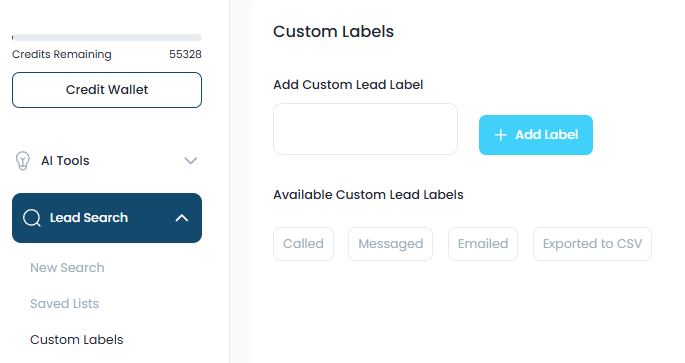
Custom Labels are internal labels you create and use inside the Lead Generation Tool.
They are perfect if you:
- • Do not use a CRM
- • Manage leads directly inside the Lead Generation Tool
- • Want a simple way to track outreach progress
You can create labels like:
- • "Called"
- • "Email Sent"
- • "Follow Up Needed"
- • "Responded"
- • "Not Interested"
- • "Hot Lead"
You can name them anything that fits your campaign.
When Should You Use Custom Labels?
Use Custom Labels when:
- • You already contacted a lead using another tool
- • You want to track manual outreach
- • You need a simple way to sort leads
- • You are running multiple campaigns
- • You are managing everything inside the Lead Generation Tool
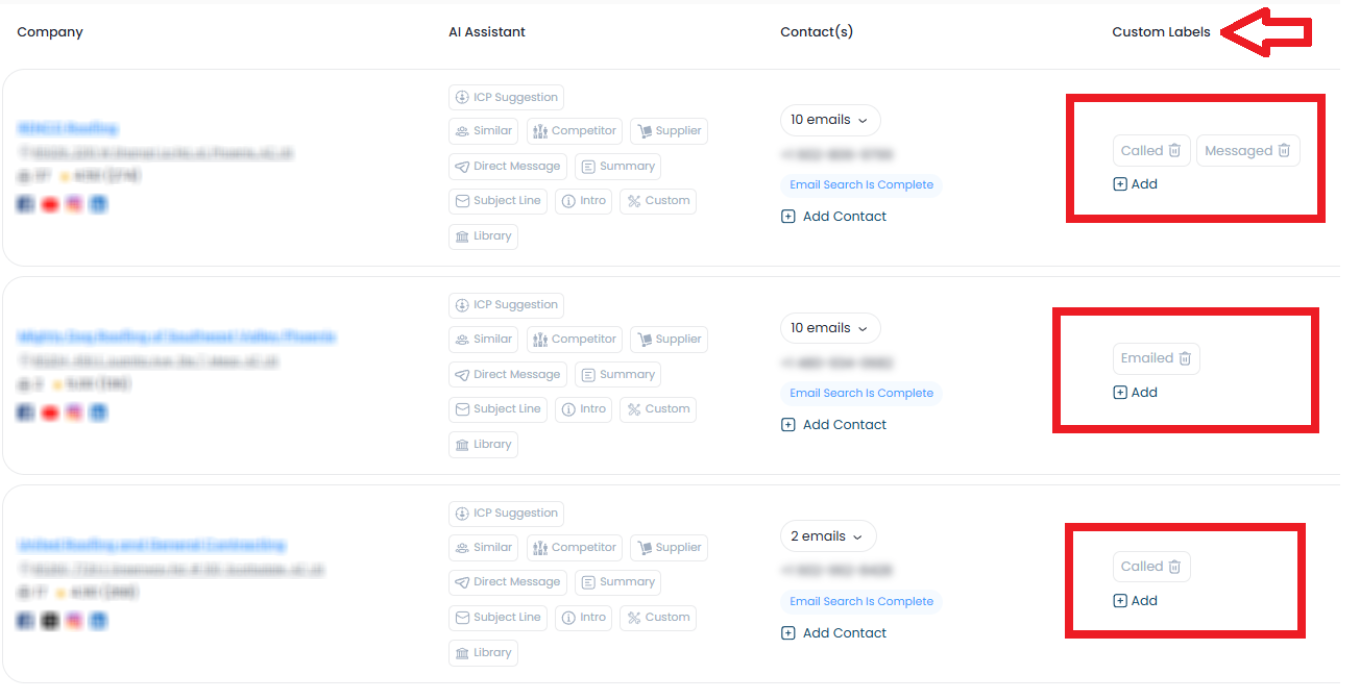
Example:
If you called someone using a third-party dialer, you can go back to the Lead Generation Tool and label that contact as "Called".
This helps you avoid contacting them twice.
What Is the Difference Between Custom Labels and Tags?
This is important.
Custom Labels
- • Used inside the Lead Generation Tool only
- • Cannot be exported
- • Cannot trigger automation
- • Best for manual tracking
Tags
- • Can be exported to CRMs like LeadConnector
- • Can trigger automations and workflows
- • Used for system-based actions
Simple Comparison
Was this article helpful?
That’s Great!
Thank you for your feedback
Sorry! We couldn't be helpful
Thank you for your feedback
Feedback sent
We appreciate your effort and will try to fix the article